 Mac app · Beta · Free and open source
Your drives,
always in sync.
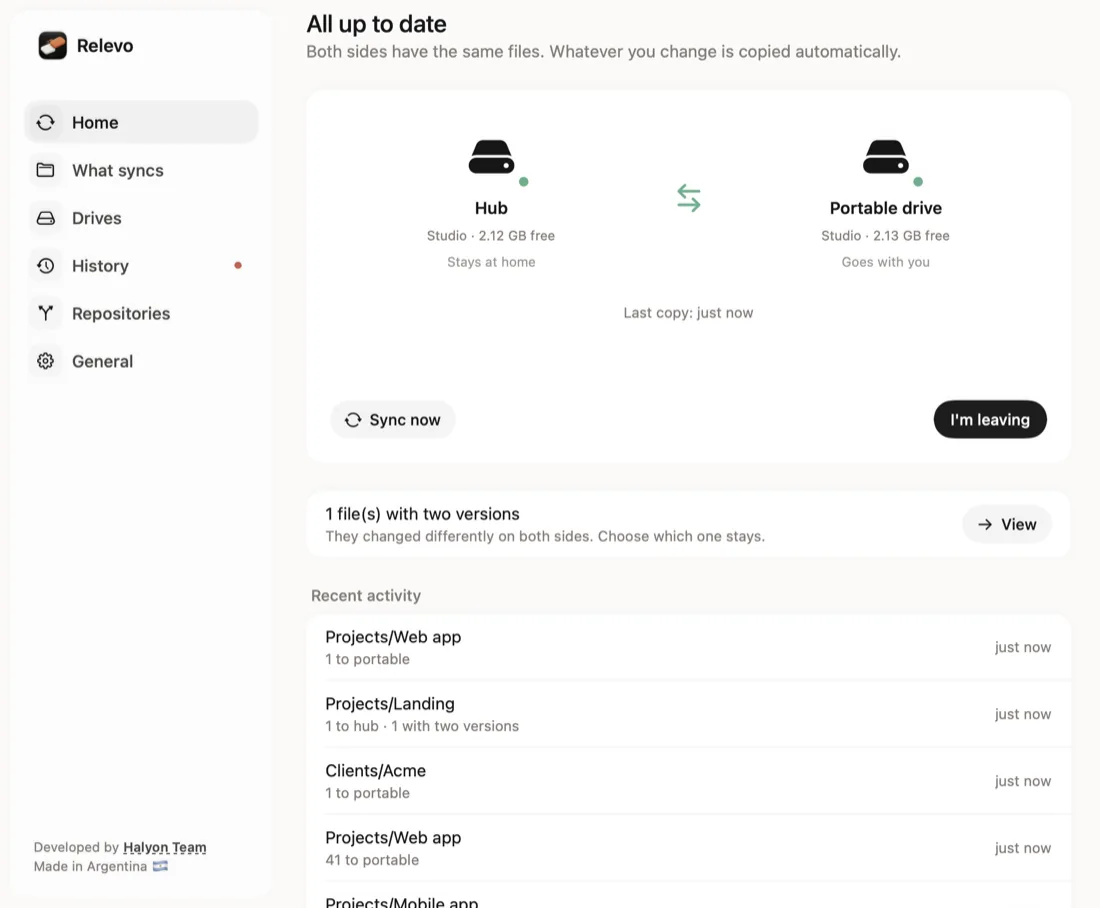
Work at home on your main drive, take the portable one when you leave and, when you’re back, plug it in: Relevo copies what changed in both directions, within seconds. No cloud, no account: drive to drive, on your Mac.
- macOS 14+ · Apple Silicon
- ~30 MB of memory
- Lives in the menu bar
- English and Spanish
Take your work with you.
Come back without losing anything.
- Live, two-way syncWhile both drives are plugged in, every change is copied within seconds. Work on the portable drive anywhere; when you plug it back in, Relevo brings those changes home.
- Eject and goEverything is already copied, so ejecting is enough. “I’m leaving” copies whatever is still pending (seconds) and ejects; if something is using the drive, it tells you what and closes background processes for you.
- Checks only what changedmacOS keeps track of which folders changed on each drive, even while Relevo is closed. When you plug in, Relevo checks only those projects. Once a night it checks everything, just in case.
- Same paths everywhereAway from home, the portable drive takes your main drive’s name, so your editor, terminal and tools find every project at the same path.
- For developers and creatives
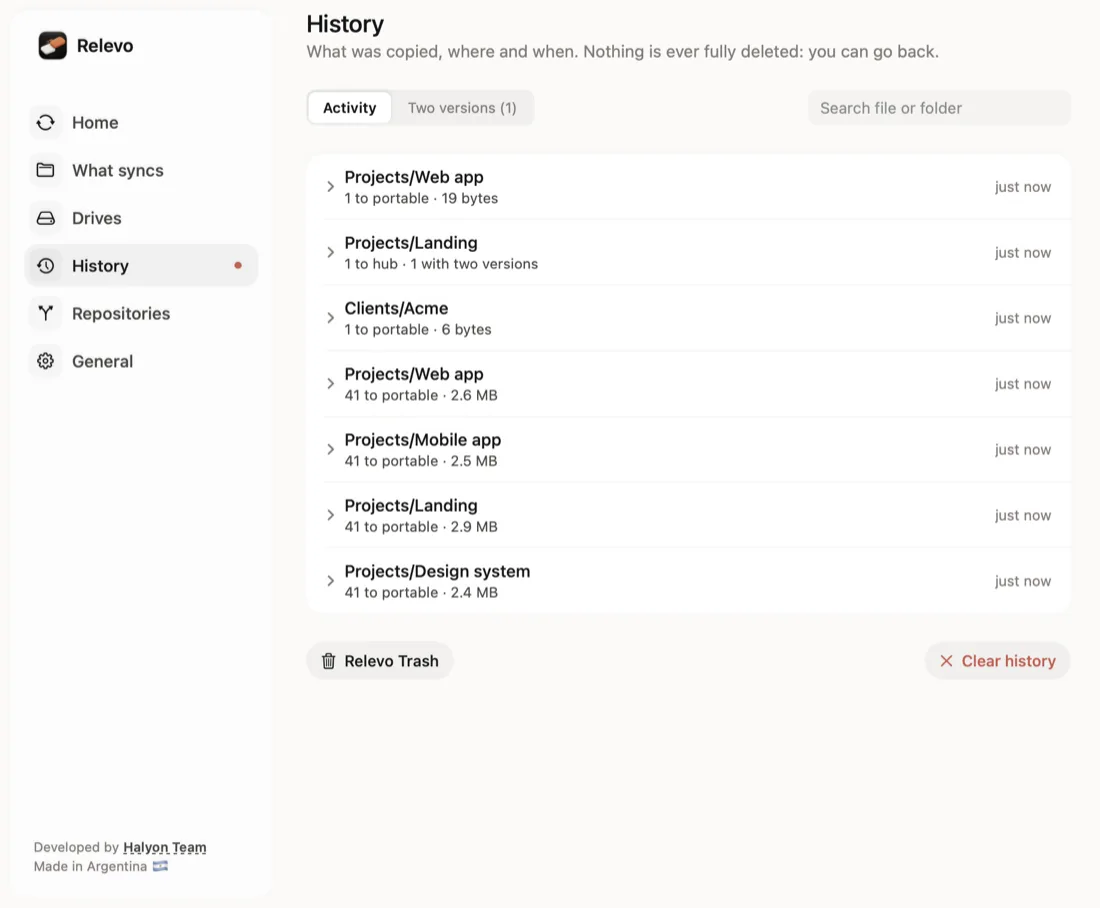
node_modules,.venvandPodstravel with your projects so they work away from home (you can turn it off). Build output like.nextorDerivedDatais never copied..envand.gitare. - Never deletes for goodDeleted or replaced files go to a Relevo Trash on each drive, kept 7, 30 or 90 days. From the history you can recover a file or go back to its previous version.
- Asks before the big stuffIf you delete a whole project, Relevo asks before deleting it on the other drive. If you don’t answer, it applies it after 3 days.
- Conflicts handledIf the same file changed differently on both sides, both versions are kept and you choose. If a repo has different commits on each drive, its
.gitis left alone and Relevo tells you to merge. - Safe if you unplug mid-copyFiles are written under a temporary name and renamed at the end, and a journal remembers what was being written, so a yanked drive is repaired instead of being mistaken for your deletions.
- Also:
- Repositories: clone, see changes and unpushed commits
- Several links (projects to one drive, photos to another)
- Folder tree with sizes
- Byte-by-byte deep check
- Copy before sleep
- Drive encryption with the key in your Keychain
Everything in view,
without opening Finder.
That simple.
- Pick your home drive and your portable driveHome is the drive or folder you work on. The portable drive must be formatted as APFS.
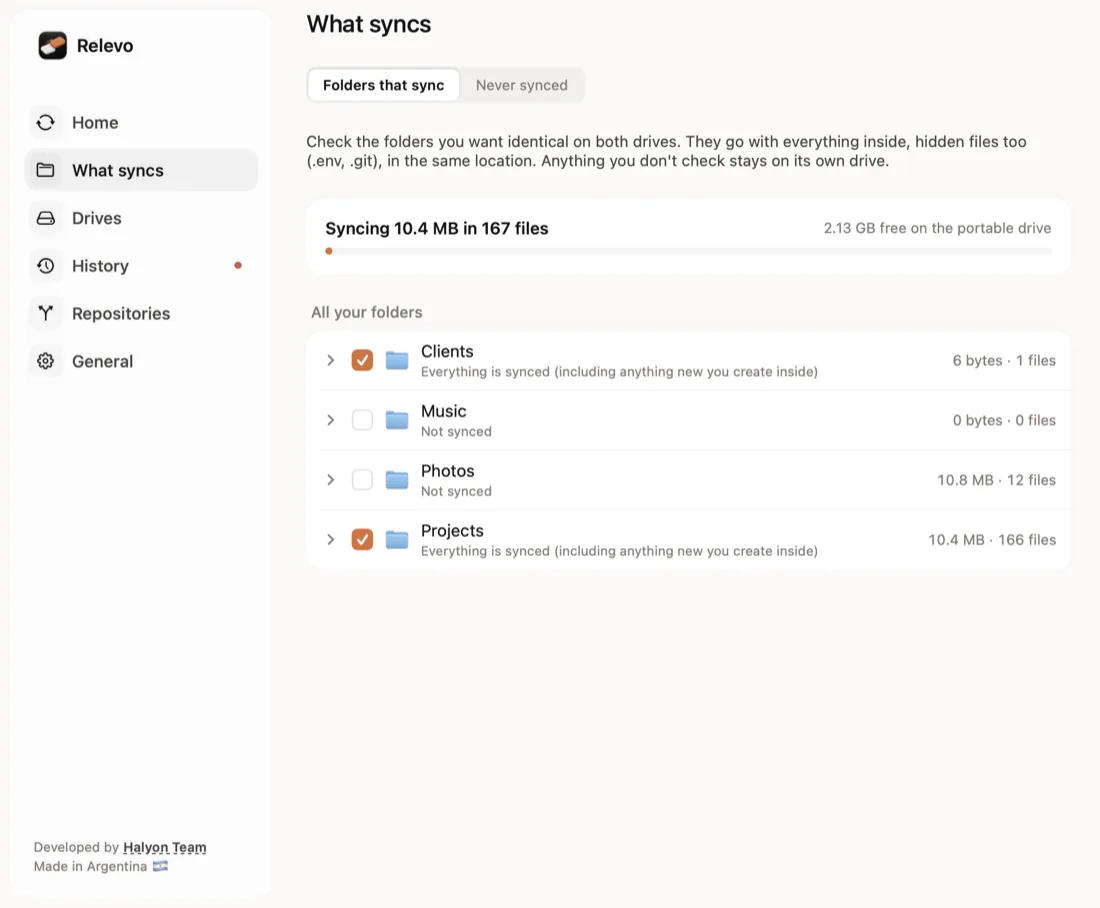
- Choose what syncsThe whole drive or just some folders. You can set up several links.
- Plug in and workWhile both are connected, Relevo keeps both sides identical.
- Leave and come backEject or tap “I’m leaving”. When you’re back, plug the drive in and Relevo brings your changes home.
Good
questions.
Is it a backup?
No. Relevo keeps two drives identical: if you delete something on purpose, it’s deleted on the other side too (it goes to the Relevo Trash first). Keep a real backup, like Time Machine.
Does it use the cloud or need internet?
No. It copies drive to drive on your Mac, with no account and nothing sent to any server. Internet is only used if you clone a repository.
Can I use an exFAT or FAT drive?
No. The portable drive must be APFS (you can change it in Disk Utility): exFAT and FAT don’t keep permissions or links and can get damaged if unplugged.
What if I edit the same file on both drives?
Both versions are kept and you choose which one stays. Nothing is overwritten without telling you.
Is it free?
Yes. Relevo is open source under the Apache 2.0 license.
How do I install it?
Grab the code from GitHub and run ./compilar.sh instalar: it builds the app and copies it to Applications. The Command Line Tools are enough (xcode-select --install), no Xcode needed. The Mac App Store listing is coming soon.
Open source.
Relevo’s code is on GitHub under the Apache 2.0 license, so anyone can use it, study it and improve it. It’s in beta and we use it every day.
 Follow for updates
- Use it for freeDownload the code, build it and use it on your Mac, at no cost.
- Improve it with usFound a bug or have an idea? Open an issue or send your change.
- The name is oursIf you publish your own version, give it a different name and icon, and keep the credit to Halyon Team.